Mix like a pro.
The music never stops.
2 decks, SMART MIX with artificial intelligence, a sampler with tupan and darbuka drums, çifteli, song cutting, and support for Pioneer, Traktor, Numark and other controllers.
Everything a DJ needs
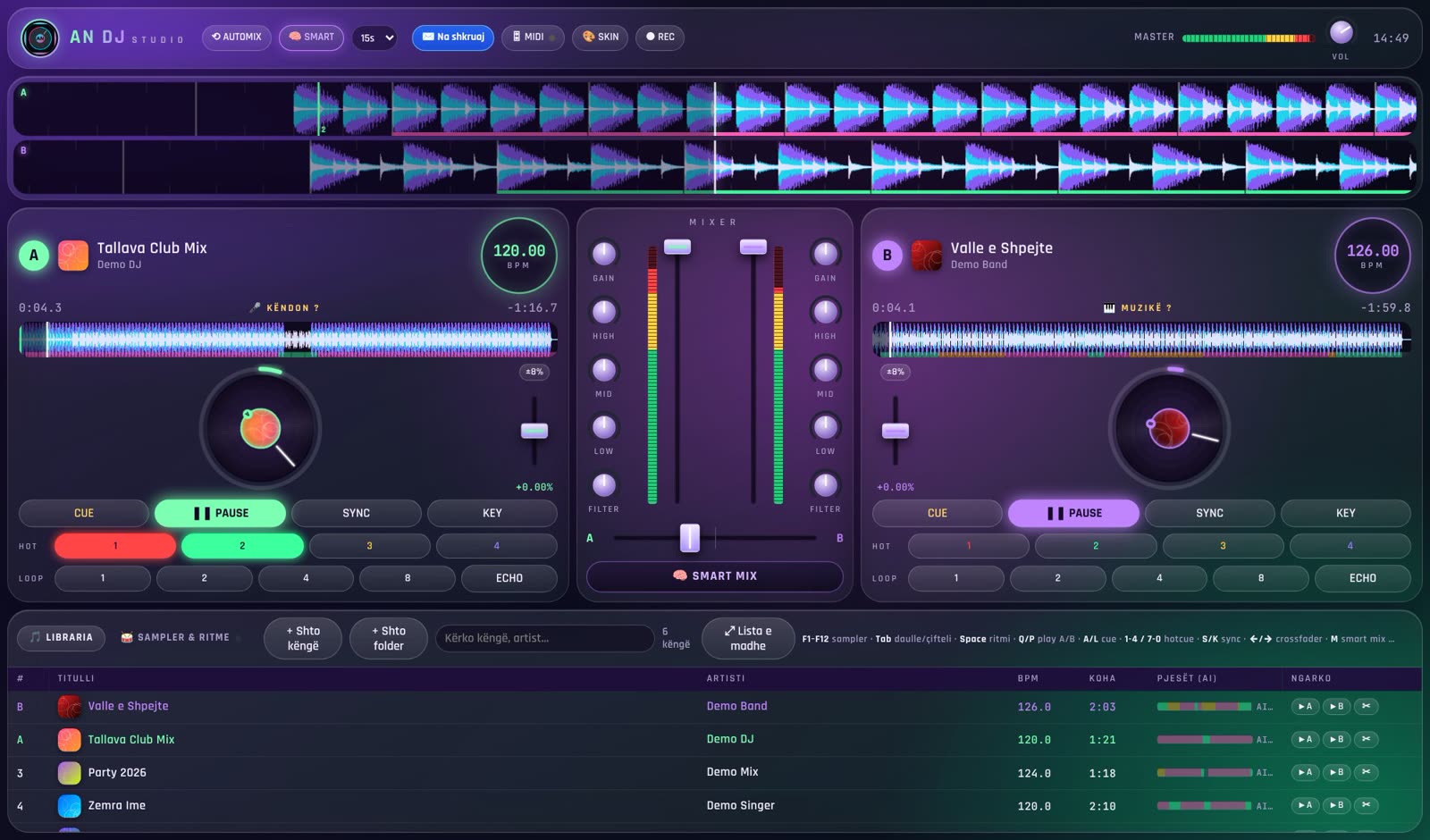
AN DJ Studio is DJ software for Windows, built for weddings, clubs and parties – with Balkan music at its heart.
AI SMART MIX
The software hears when the singer is singing and only transitions during instrumental parts – drums into drums, vibe into vibe.
Smooth fades, same tempo
The old track fades out slowly while the new one comes in. The tempo is never changed, so the sound stays clean.
AUTOMIX
The playlist plays itself: in the last 15 seconds it crossfades to the next song, with no silence.
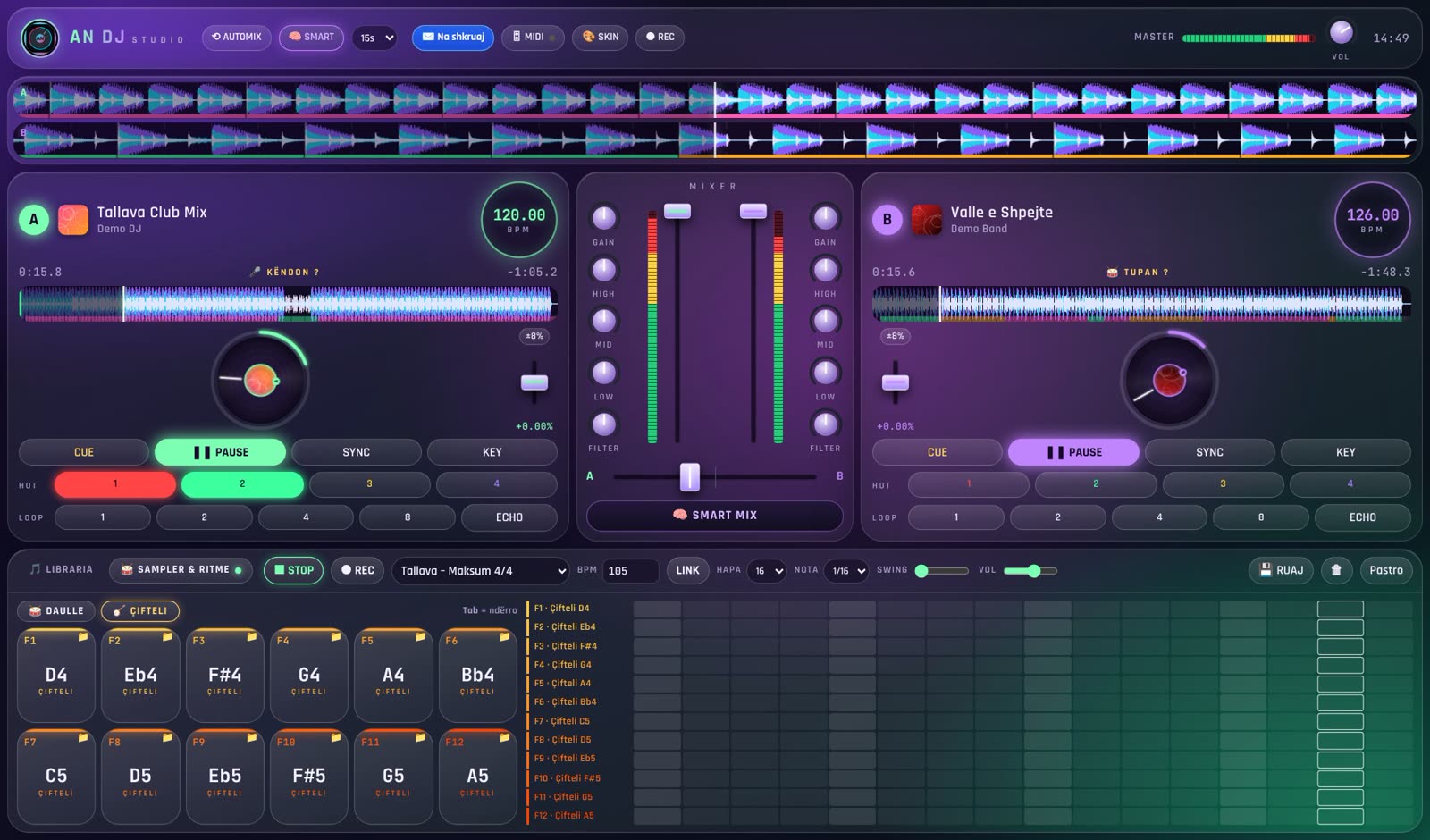
Sampler F1–F12
Tupan, darbuka, çifteli, effects and drops. Build your own rhythms with the sequencer.
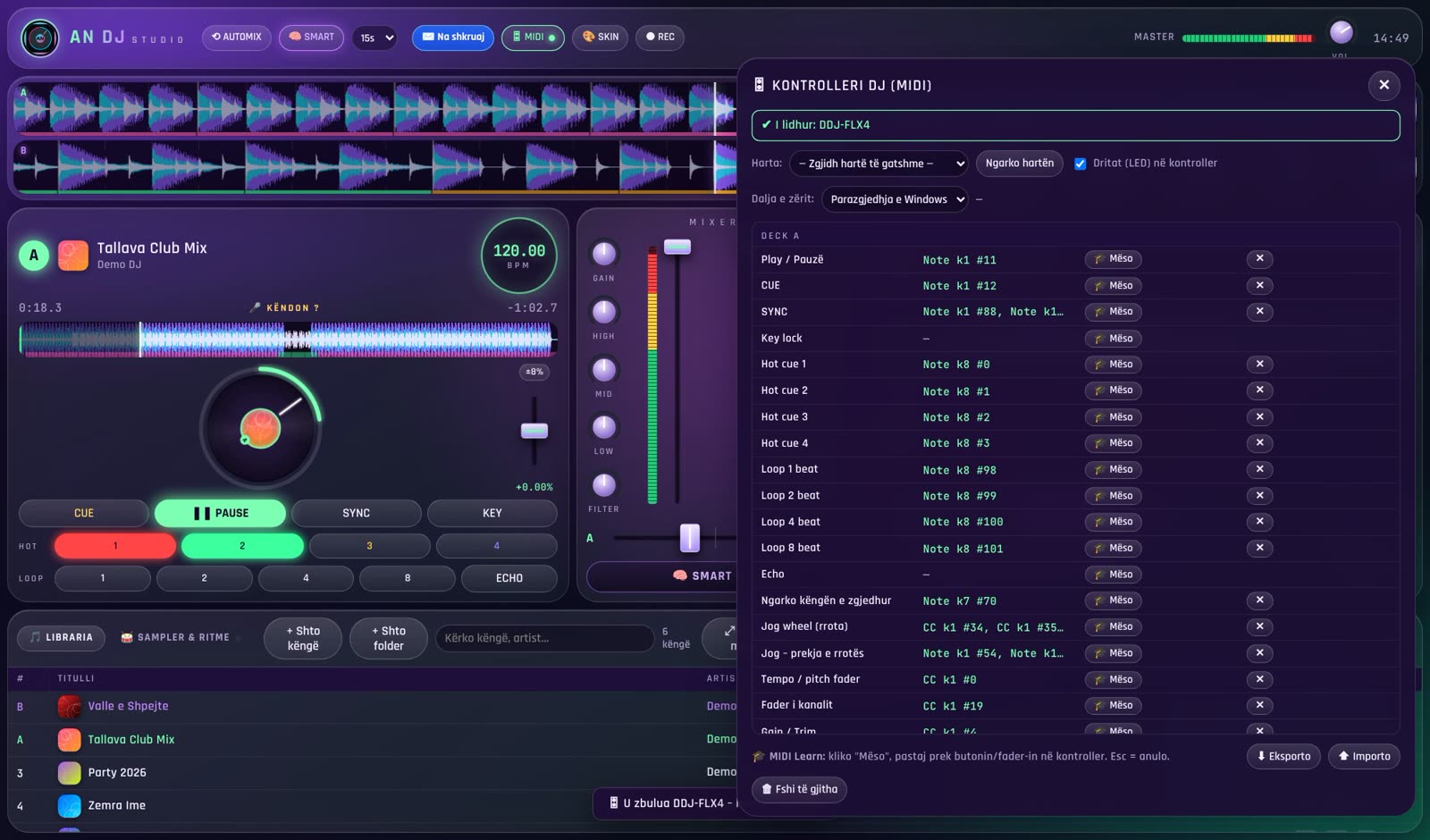
MIDI controllers
48 ready-made mappings: Pioneer DDJ, Traktor, Numark, Hercules, Denon… plus MIDI Learn for any device.
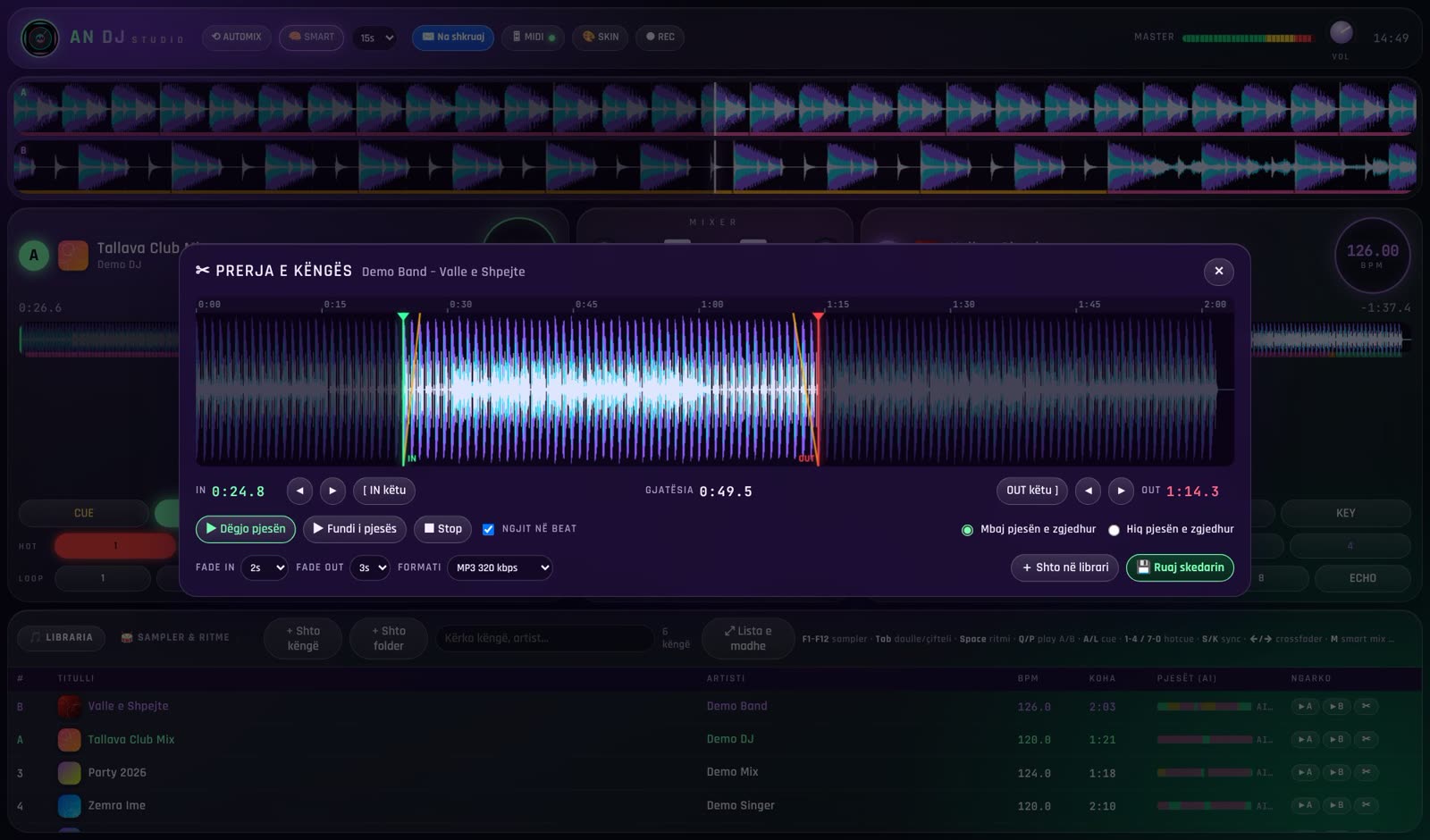
Song cutting
Cut a song right in the app and save it as MP3 – for intros, short edits or ringtones.
Song splitting (AI)
Split a song into vocals, rhythm and melody. Make an acapella, an instrumental or just the drums – in one click.
10 skins + cover art
Change the look with one click. Album covers show in the library and on the platters.
BPM, Sync, EQ, REC
Automatic BPM, sync, hot cues, loops, echo, filter, 3-band EQ, mix recording and seamless seeking.
One minute – and you will see why.
Load your songs, press SMART MIX and let the software find the right moment. Or take control yourself with mouse, keyboard or controller.
- Large library with search, BPM and song sections (AI)
- Keyboard shortcuts for every function
- Works offline – no internet needed at the venue
10 looks. Pick your style.
Click a skin to preview it.
More than a player
Free download
Full 14-day trial, no registration. Choose your computer.
🍎 How to install on a Mac
- Open the ZIP file and drag AN DJ Studio into the Applications folder.
- Open the app. The first time, macOS says it can’t check it – click Done.
- Go to System Settings → Privacy & Security, scroll down, click Open Anyway and confirm.
- Done – from then on it opens normally. Not sure which Mac you have? Apple menu (top left) → About This Mac: “Apple M…” or “Intel”.
One price. Forever.
The download is free with a full 14-day trial. After that, a license – paid once, no subscription.
- All features of the software
- AI SMART MIX, sampler, MIDI, 10 skins
- Free updates for version 1.x
- Support by email
- Quick activation – your key arrives by email
How to buy a license
The license is tied to your computer, so we need your Computer ID.
Download & install
Install AN DJ Studio. It works free for 14 days.
Get your ID
In the app, click 🔑 Licenca and copy the ID e kompjuterit (Computer ID, e.g. A1B2-C3D4-…).
Order & pay
Fill in the form below. We email you the details for paying by bank transfer or TWINT.
Activate
After payment you receive your key by email. Double-click the .lic file – done!
Your order is ready – send it by email
Click one of the buttons below. Within 24 hours we send you the payment details (TWINT / bank), then your license key.
Or send it yourself to: ndojaarber53@gmail.com
Frequently asked questions
Is the download really free?
Yes. The software is free to download and fully works for 14 days. After that, you need a license to keep using it (CHF 99, one time).
Which system does it run on?
Windows 10 and Windows 11 (64-bit), and macOS 11 or newer (Apple M1–M4 and Intel). At least 8 GB RAM is recommended.
Does the license work on Mac too?
Yes. The license is tied to the computer: on a Mac you get the ID under 🔑 Licenca, just like on Windows.
Windows says “Windows protected your PC”. What do I do?
This appears for new programs. Click More info → Run anyway. The software contains nothing harmful.
Which DJ controllers work?
Over 48 controllers are detected automatically (Pioneer DDJ-400, FLX4, SB3, Traktor, Numark, Hercules, Denon, Reloop…). For others, use MIDI Learn: click the control on screen, then the button on your controller.
Does it work without internet?
Yes. Once activated, the software works fully offline – including the AI SMART MIX.
I changed computers. What happens to my license?
Email us the Computer ID of the new computer and we will send you a new key.
How do I pay?
By TWINT or bank transfer. After you order, we email you the details.